Exploring Apple ID in the United States
1. Introduction to Apple ID in the US

Apple ID is an essential account for any user of Apple products. It enables users to access various Apple services such as the App Store, iTunes, iCloud, and Apple Music. In the US, creating an Apple ID is free and easy. Users only need an email address, a device capable of running Apple software, and a password.
Apple ID allows US users to enjoy exciting features such as purchasing apps, music, movies, and TV shows from Apple's distribution platforms and downloading them onto their devices. US users can also use their Apple ID to synchronize their contacts, calendars, and reminders across their Apple devices.
2. Benefits of Having an Apple ID in the US
One of the primary advantages of having an Apple ID in the US is access to numerous exclusive features and services. With an Apple ID, users can back up their photos, videos, and other vital data to iCloud and access it from any Apple device. Additionally, US users can subscribe to Apple Music and access a vast library of songs, playlists, and music videos.
Another notable benefit of having an Apple ID in the US is the ability to find and connect with other Apple users through the "Find My" app. This app enables users to locate their lost or stolen Apple devices, share their location with friends and family, and even locate their friends' devices.
3. Tips for Protecting Your Apple ID in the US
It is crucial to safeguard your Apple ID in the US since it contains sensitive information such as your personal and financial details. Some essential tips for protecting your Apple ID include:
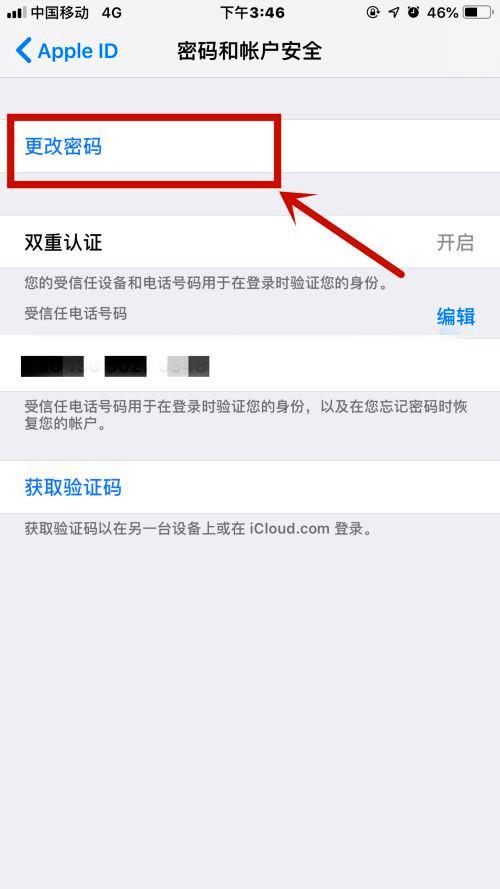
1. Enable two-factor authentication to add an extra layer of security to your account.
2. Create a strong, unique password that combines letters, numbers, and symbols.
3. Be wary of phishing attempts, especially through suspicious emails or messages that ask for your Apple ID and password.
4. Use a trusted device to sign in to your Apple ID account and avoid public networks or other unsecured Wi-Fi connections.
Conclusion:
In conclusion, Apple ID is an indispensable account for Apple users in the US, providing access to a range of services and features. However, it is vital to safeguard your Apple ID account by following best practices for account protection.